
Find Every SEO Issue on Your Webflow Site
Speedflow checks 20+ SEO signals — meta tags, Open Graph, canonical URLs, schema markup, heading structure, and more. Paste your URL, get results in seconds.
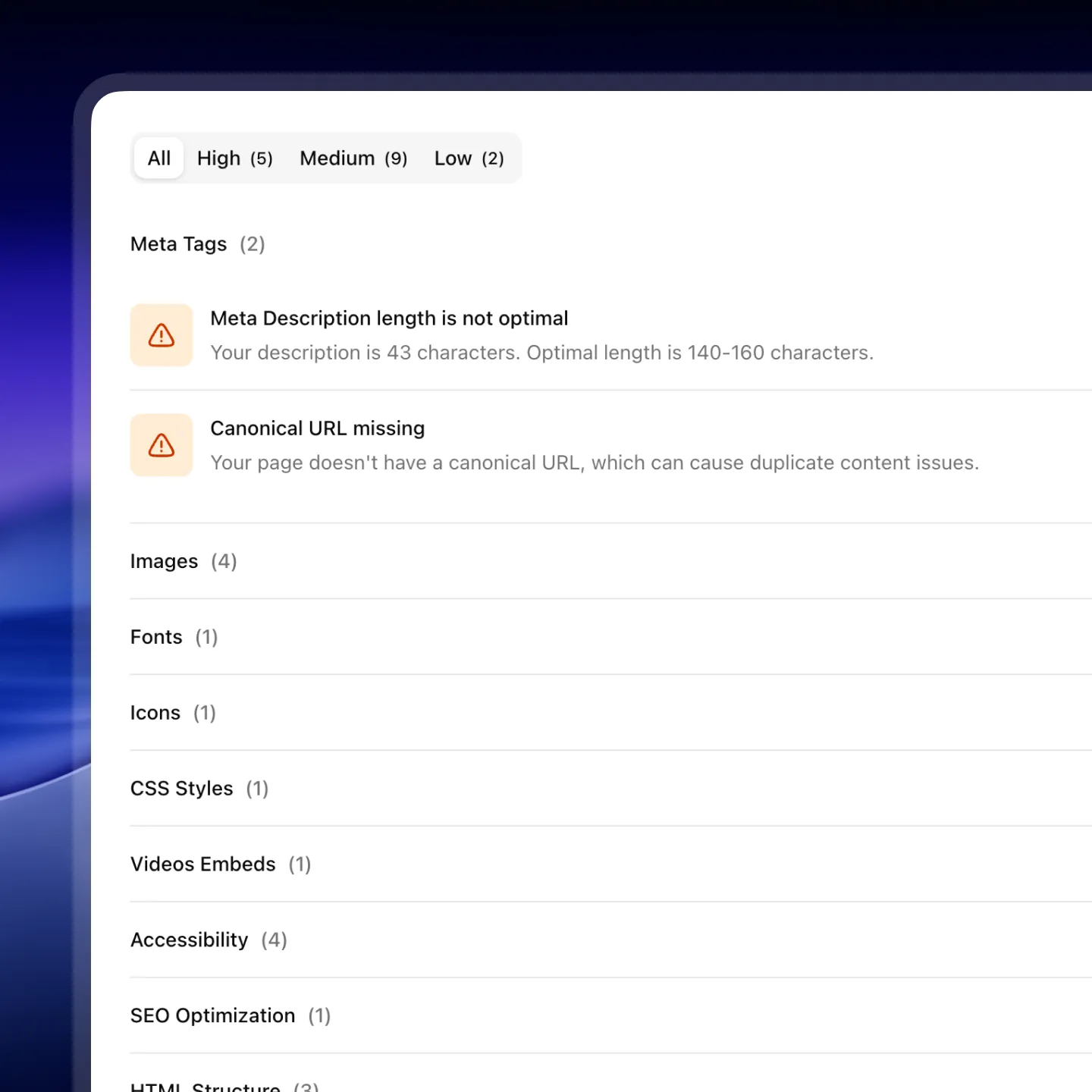
Every SEO Issue That Affects Webflow Sites
Most SEO tools aren't built for Webflow. Speedflow checks the signals that actually matter for how Webflow generates HTML.
Meta Title & Description
Missing or incorrectly sized meta titles (50–65 chars) and descriptions (140–160 chars) — the most common issue on Webflow CMS pages.
Open Graph Image
71% of Webflow sites are missing og:image. Every share on LinkedIn, Slack, or iMessage looks broken without it.
Canonical URL
No canonical tag means Google chooses which URL to index. With Webflow's query params, this causes duplicate content issues.
Schema Markup
Missing or invalid JSON-LD schema on key pages (home, about, services, contact) blocks rich results in Google Search.
H1 & Heading Structure
Missing H1, multiple H1s, or broken heading hierarchy. Webflow templates often ship with these broken out of the box.
Language & Favicon
Missing lang attribute on <html> and unbranded Webflow favicon — two issues that ship on every default Webflow export.
All 20+ SEO Checks
Every check Speedflow runs on your Webflow site, grouped by category.
Meta Tags
Heading Structure
Technical SEO
Schema Markup
AEO
SEO Audit in 30 Seconds, Fixes in Minutes
Paste Your URL
Any Webflow page – published or staging.
Get a full audit in seconds
50+ QA checks: accessibility, SEO, and performance. Prioritized by impact.
Fix with confidence
Follow Designer-specific instructions and launch knowing the site is clean.
What Webflow developers say after testing Speedflow
Real feedback from Webflow developers and agencies using Speedflow.
Finally, the tool that deserves the spotlight among Webflow developers. It's soo effective that we've instantly incorporated it into our QA process. An incredible time and nerve saver!

There's always that moment when a client opens the site on their end and starts poking around. I used to dread it. Since I started using Speedflow before every launch, I actually look forward to that moment – because I know the site is clean.

I used to spend 1-2 hours going through each site manually before launch. With Speedflow I get the same result in under a minute. That time adds up fast when you're managing multiple client projects at once.

QA used to be held together by memory and manual checklists.
Speedflow changed that – I run it at the 80-90% mark on every project, paste the URL, work through the fixes, done. Hours became minutes. One sitemap crawl covers the whole site, and fixes come with your actual data pre-filled and clear step-by-step instructions.
Whenever I flag something, Dmytro has it sorted the same day. That kind of support is rare.
If you're doing Webflow work and you're not using Speedflow, you're making QA harder than it needs to be.


QA always felt overwhelming – I knew something was probably off, but I didn't know where to start or what actually mattered. When I tried Speedflow, everything clicked.
The app doesn't just give you a score, it pinpoints the exact element causing the issue, explains why it matters, and guides you on how to fix it. That's how I finally started taking accessibility and other checks seriously, things I had never even considered before. Now auditing a site feels like a clear, manageable process instead of a frustrating guessing game.

Common Questions
Does Speedflow work with Webflow CMS pages?
Yes. Speedflow audits both static pages and CMS collection items. For CMS pages, it checks each item's meta title, description, OG image, and H1 — the fields that are most often left blank in large collections.
How is this different from running a Lighthouse audit?
Lighthouse focuses on performance scores, not SEO content issues. It won't tell you that your canonical is missing, your OG image is empty, or that your Webflow favicon is still the default. Speedflow is built specifically for the issues Webflow projects actually ship with.
Do I need to install anything?
No. Speedflow runs entirely in the cloud — no browser extension, no npm package, no Webflow integration required. Just a URL.
Is it free?
The free plan gives you a full SEO report with issue titles and severity. Pro unlocks affected elements (which exact elements are broken) and AI suggestions for each issue.
Can I use Speedflow on client sites?
Yes. Many Webflow agencies use Speedflow to audit client sites before delivery.
Run Your First Webflow SEO Audit Free
Paste your URL and see exactly what's holding your site back in search.